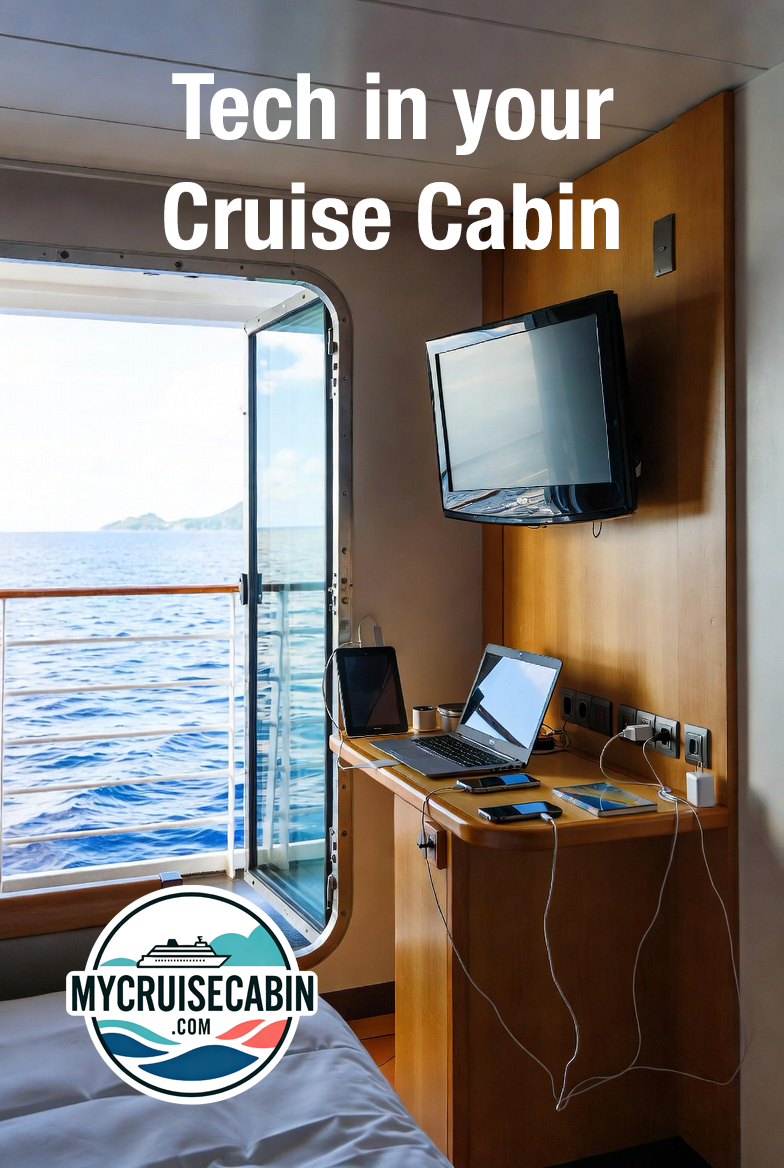
Tech in Your Cruise Cabin: What to Bring, What to Expect, and What to Avoid
Cruise cabins have come a long way from the days of a single outlet hidden behind the bed and a TV with three channels. Today’s cabins are more tech-friendly — but they’re still not at the level of a modern hotel room. If you don’t prepare, you may find yourself juggling devices, digging for outlets, or regretting that you left a key gadget at home.
Here’s a practical, passenger-tested guide to what cabins really offer, and what you should pack to stay powered up and comfortable.
1. Power Outlets: Expect Fewer Than You Think
Even on brand-new ships, power outlets are limited — and older ships can be downright stingy.
Typical layouts you’ll see:
1–2 U.S. outlets near the desk/vanity
Sometimes 1 European outlet (bring a cheap adapter if you want an extra plug)
A few newer ships offer USB-A or USB-C ports, but it’s inconsistent
Almost never any outlets near the bed unless the ship is new or recently refurbished
If you're traveling with phones, watches, tablets, cameras, e-readers, GoPros, and portable fans, you’re going to run out of plugs.
2. What to Bring to Avoid the “Outlet Shuffle”
Here’s what seasoned cruisers swear by:
🔌 A Non-Surge Power Strip (CRITICAL)
Cruise lines ban surge-protected strips.
Look for a strip with:
No surge protection
3 outlets
2–4 USB ports
This turns one outlet into a small charging station. Be sure to check with your cruise line, as some of them have banned power strips with cords, requiring you to get just an outlet splitting block.
🔋 Portable Battery Pack
A 20,000 mAh pack gets you through port days, sea days, and long excursions without needing a wall outlet. If traveling to your cruise by airplane, be sure to have this power pack with your phone in your carry on. Airlines have banned Lithium batteries in checked luggage.
🔦 Small USB or Battery Night Light
Cabins get extremely dark — especially interiors.
A motion-sensor night light makes midnight bathroom trips easy.
🔗 Long USB Cables (6–10 ft)
Cabin outlets aren’t always where you want them.
🧲 Magnetic Hooks
Not “tech,” but they solve most storage and clutter issues.
Cabin walls are metal, so you can hang anything. This includes your charging cords when you are not using them. It keeps the desk uncluttered and eliminates tripping hazards.
3. What You Can Expect Inside Your Cabin — Honestly
Based on real cabin photos on MyCruiseCabin, here’s the reality:
Televisions
Most cabins now offer:
On-demand movies (sometimes paid)
Ship information channels
Excursion and shopping channels
Don’t expect:
Casting your phone to the TV
HDMI access (many ships block the ports)
High-resolution screens on older vessels
USB Ports
Hit or miss.
Even when they exist, they usually charge slowly.
Wi-Fi / Apps
Cruise Wi-Fi is improving but still limited. Expect:
Browsing and messaging: usually fine
Uploading large photo batches: slow unless you have premium Wi-Fi
Streaming: inconsistent
Most cruise lines require their mobile app for things like:
Muster drill check-in
Reservations
Daily schedules
Messaging (sometimes paid)
4. Useful Tech You Don’t Need to Bring
Save the space and leave these at home:
Hair dryers → every cabin has one
Alarm clocks → your phone works fine, and many ships offer wakeup calls to your stateroom phone. Or better yet, order breakfast the night before, and the room service knock can be your wake up.
Big Bluetooth speakers → prohibited or discouraged
Heating-element devices (steamers, kettles, coffee makers) → banned
Streaming sticks → typically useless due to blocked HDMI ports
5. Final Tips for a Smooth, Tech-Friendly Cruise
A few quick reminders to wrap things up:
Download the cruise line’s app before boarding — ship Wi-Fi is slow for downloads.
Use airplane mode the moment you sail away to avoid massive roaming fees.
Bring a waterproof pouch for devices on beach and port days.
Pack a spare charging cable — they fail at the worst times.
And as always, you can verify exactly what your cabin offers with real photos on MyCruiseCabin.com — outlets, USB ports, TV layouts, bedside space, everything.
Many of the products mentioned in this article are available at https://mycruisecabin.com/shopping
Comments
Loading comments...
You May Also Like
Share Your Cruise Photos
Been on a cruise recently? Your cabin photos can help thousands of travelers make better booking decisions. Upload your photos and become part of our growing community of cruise enthusiasts!